Site Inspection and On-Site Assessment
At an urban work site for the installation of an electric vehicle charging point, participants inspect the work area, footway, parking areas, trees, access points, and existing road signs. They measure the remaining footway width, decide whether the footway must be closed and an accessible temporary route provided, assess where no-stopping restrictions are required, cross the carriageway safely, and document local conditions that affect the traffic control plan BII/9.
Note: The visual appearance and quality of the training may vary depending on your hardware, screen resolution, browser, and device performance. The images shown are for illustrative purposes only.
Online Training
Road Safety
RSA 21 – Part B, C
When work zones in urban areas or on rural roads are poorly inspected, prepared, set up, or rechecked, employees and road users face serious risks. Participants practise making safe decisions, implementing traffic control plans, and correcting defects in realistic scenarios.
Status
Progress
0/7
Due by
Estimated time
4:00
Hours
Available languages
GE, EN, SQ, PL, RU
Starting at
149€
per license, plus VAT
Please log in to view.
TOUGH creates certified training courses that can replace official mandatory training.
Training Overview
Lesson Overview
Frequently Asked Questions
About TOUGH
Downloads
Training Overview
Course Description
The training covers preliminary site inspections, preparing no-stopping restrictions, setting up and following up on temporary traffic control measures in urban areas and on rural roads. It addresses constrained footways, parked vehicles, changing site conditions, vehicle and material checks, stability, sign placement, safe pedestrian and vehicle routing, severe-weather damage, and the correct implementation of standard traffic control plans BII/9, CI-4, and CII-4.
Participants inspect sites and vehicles, measure widths, assess local conflicts, choose signs and equipment, secure loads, assemble no-stopping signs, build traffic control measures in the correct sequence, validate plan setups from a top-down perspective, and restore displaced elements after severe weather. This strengthens practical decision-making and helps your company reduce setup errors and improve the reliability of traffic control operations.
Target Audience
Employees who carry out preliminary site inspections, prepare no-stopping restrictions, set up traffic control measures, or inspect work zones in urban areas and on rural roads.
Course Content
Lesson Overview
Lesson 1
Lesson 2
Preparing and Setting Up No-Stopping Signs
At the depot and the work site, participants prepare the advance announcement and setup of temporary no-stopping restrictions. They inspect warning markings, the rotating beacon, and lashing points on the vehicle, select the required road signs, supplementary signs, base plates, base-plate carriers, and signposts, determine sign size and post length, assess stability, secure the load, and assemble the no-stopping signs at the designated locations while protecting potential trip hazards.
Lesson 3
Setting Up Traffic Control Measures
After the no-stopping restrictions have been announced, participants prepare the traffic control setup in accordance with standard traffic control plan BII/9. They inspect the vehicle and materials, check the site for changes since the preliminary inspection, decide on the correct setup sequence, disable conflicting road signs, provide the planned pedestrian route, position barriers, guide beacons, warning lights, and ramps, and complete a final inspection of the finished setup.
Lesson 4
Post-inspection of traffic safety measures
Following severe weather, participants inspect an existing traffic control setup and identify six defects. They assess warning lights lying on the carriageway, a detached sign cover, an inadequately secured road sign, a twisted guide beacon, a displaced barrier, and a leaning road sign, evaluate the risks for road users, and restore a safe and unambiguous traffic route.
Lesson 5
Top-down Standard Traffic Control Plan Setup Simulation CI-4
In the setup simulation, participants can practise safely and without time pressure how to set up standard traffic control plan CI-4 correctly. Before starting, a short explanatory video shows how the controls, camera navigation, component catalogue, and checking process work. Participants then place, configure, and validate signs, cones, and work vehicles from a top-down perspective and can correct any errors immediately.
Lesson 6
Top-down Standard Traffic Control Plan Setup Simulation CII-4
In the setup simulation, participants can practise safely and without time pressure how to set up standard traffic control plan CII-4 correctly. Before starting, a short explanatory video shows how the controls, camera navigation, component catalogue, and checking process work. Participants then place, configure, and validate signs, cones, and work vehicles from a top-down perspective and can correct any errors immediately.
Lesson 7
Comprehension Check
Participants complete a final knowledge check covering the content and decisions from the preceding modules. The documents do not specify a passing score, the number of attempts, or any certificate or proof of completion.
Frequently Asked Questions
You can find more answers to frequently asked questions here. Alternatively, schedule a no-obligation consultation.
TOUGH goes beyond traditional e-learning: Digital, realistic
simulations recreate construction sites, railway stations or roads
in a practical way. Employees train safe decision-making in a
“serious gaming” format – increasing training effectiveness,
motivation and demonstrably improving learning outcomes. As a
subsidiary of HOCHTIEF, TOUGH also brings genuine industry expertise
to the content.
First, you determine how many licenses are required. The purchased
licenses can then be easily assigned in the TOUGH Dashboard via email
address or CSV import. Participants complete the training based on
real work situations in interactive simulations and practical
scenarios. At the end, a final test assesses the learning outcome.
Participation, results and certificates are automatically recorded
and centrally documented. This means that all records are available
at any time in a clear format for audits and internal documentation.
The costs depend on the number of participants and the selected
package. Each license gives you access to the entire TOUGH Training
portfolio. The digital training format can significantly reduce time
and costs, especially for larger teams.
Yes. Training courses can be centrally managed and assigned to
multiple employees at the same time. Each participant requires their
own device. Progress, results and certificates can be viewed clearly
in the Dashboard at any time.
The test can be repeated. The aim is to ensure that all participants
fully understand the content and can apply it correctly.
The certificate is automatically generated digitally after
successful completion and is available immediately.
Yes. The content can be accessed again at any time and used as a
refresher.
Yes. The training can be interrupted at any time. Progress is saved
for completed or fully processed modules. Modules that have been
started but not yet completed are not saved and must be completed
again from the beginning once the training has been closed.
Digital Safety Training for Construction and Infrastructure
TOUGH TRAINING x HOCHTIEF
HOCHTIEF, as an international infrastructure group with around 62,000 employees, relies internally on innovative, scalable training technologies that prepare employees for risks in a practical and effective way, helping to prevent accidents.
With TOUGH Training as a HOCHTIEF subsidiary, this experience is now available to the external market, contributing to greater safety across the construction and infrastructure industry.
TOUGH develops digital safety training for construction, infrastructure, road, rail and office environments. The browser-based training courses combine real-world requirements with modern 3D technology, interactive learning methods and in-depth safety expertise.
With deployments in more than four countries and over 5,000 external employees trained, TOUGH supports companies in delivering mandatory training efficiently, transparently and with a strong practical focus. The multilingual, certified training solutions can be flexibly integrated into existing processes and can replace official mandatory safety training.
5000 +
Over 5,000 employees from external companies trained
40 +
More than 40 leading companies already trust TOUGH.
Why TOUGH is more than just digital mandatory training
Train for real-world hazards
Move beyond dry theory: Our 3D scenarios bring hazardous situations to life and help employees practise safe behaviour in realistic, hands-on situations.
Measurable learning outcomes
Access learning progress, results and certificates centrally, giving companies a clear overview at all times.
Flexible training delivery
No installation required and accessible directly in your preferred browser, on desktop, tablet, Windows or macOS.
One licence. Access to all training courses.
With one licence, companies receive six months of access to the TOUGH training portfolio, offering the flexibility to meet a wide range of training needs.
Certified training courses
Many of our training courses are officially certified and can replace mandatory training requirements.
„The use of VR enables us to realistically depict the dangers of working in and around the track, making them tangible and easier to understand.“
„With TOUGH, we support the safety of our employees on the track. The combination of track construction and VR inspires our junior staff and offers an innovative solution to the shortage of skilled workers in rail transport.“

Nicole Lieb
Head of Technical Qualification Maintenance
„Our RSA training courses are significantly enriched by the interactive and practical elements of the TOUGH software.“
„The participants visibly enjoy the digital construction of workplaces according to standard plans and can experience various training contents immersively with the help of VR glasses. In this way, we actively ensure improved retention and can therefore also improve occupational safety.“

Michael Höhne
Senior Safety Engineer
„What used to be a mandatory session becomes a lively, easy-to-understand training with real impact.“
„With TOUGH, occupational safety becomes tangible. What used to be a mandatory session turns into a lively, understandable training with real impact. We are thrilled with the smooth collaboration – many thanks to the TOUGH team!“

Marius Möcklinghoff
QHSE-Manager, HOCHTIEF PPP Solutions GmbH
„The use of TOUGH not only increases the success of training, but also the attractiveness of companies.“
„The use of TOUGH not only increases the success of training, but also the attractiveness of companies. Young people feel attracted by the game design and VR technology. An important step against the shortage of skilled workers and an innovation we needed in road construction!“

Lee Merces
Managing Director
„This makes the job safer and ensures our road workers are even better qualified.“
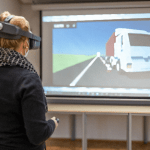
„With Virtual Reality, challenging situations on the road can be trained very effectively. This makes the job safer and ensures our road workers are even better qualified.“
Ina Brandes
Former Minister, North Rhine-Westphalia (NRW)
„We hope that this will help further reduce hazardous situations resulting from insufficiently secured road construction sites.“
„Through the virtual exercises for setting up work sites, our participants can now apply their knowledge in a realistic way.“

Inken Hallber
Managing Director of Moravia Academy
„Especially in occupational safety, the high level of immersion allows participants to engage with realistic scenarios, reflect on their actions, and make informed safety-related decisions.“
„With TOUGH, learning becomes an engaging experience: through interactive and practical content, the three key factors of self-determination theory are effectively addressed.“

Sebastian von Mammen
Head of Group Games Engineering and Head of the Games Engineering degree program
„The TOUGH training has made a significant contribution to improving the occupational safety of our road maintenance staff.“
„The RSA training supported by TOUGH highlighted the critical importance of road safety for our road workers. Through interactive simulations, participants were able to experience the virtual setup and removal of traffic safety measures as well as potential hazards in a practical and engaging way.“

Tobias Kupfer
Managing Director
„From our perspective, virtual reality applications offer great potential for knowledge transfer. TOUGH is the ideal partner to help turn our ideas into reality.“
„At SPITZKE, we focus on innovation, especially in training and professional development, and actively support the advancement of virtual learning methods.“

Jörg Prohaszka
Academy Director
„The software is very helpful for highways and country roads, allowing us to prepare for what we will face on the road in the future.“
„At the beginning of the training, it took some getting used to being so close to moving traffic and working there. For highways and country roads, the software is very helpful in preparing us for what we will face on the road in the future.“

Trainee
Nagold Training Center
„The new training software will make the work of the traffic safety organization safer.“
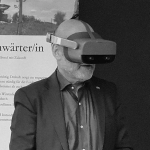
„Road safety is a top priority. The new training software will make the work of the traffic safety organization safer.“
Winfried Hermann
Ministry of Transport, North Rhine-Westphalia (NRW)
„Our collaboration with TOUGH allows us to address our unique safety and efficiency requirements through tailored training solutions.“
„The realistic scenarios are expertly tailored and adapted to our road conditions, providing our employees with invaluable preparation for real-world hazards in a controlled environment. These customized training programs will play a key role in elevating our safety standards even further.“

Dimitris Mandalozis
COO
„TOUGH provides us with a digital toolkit that allows us to create our own training scenarios. This gives us a high degree of flexibility and enables us to prepare our employees for a wide range of challenges.“
„We operate across a wide range of rail-related business areas and therefore provide training on a variety of topics.“

Phillipp Landt
Head of Corporate Development
„Being able to train these tasks with TOUGH in a virtual yet practical environment is a major step forward and benefits both new and experienced employees alike.“
„It is essential for Powerlines employees to carry out work on overhead line systems safely and professionally.“

William Bergin
Technical Officer for Training and Further Education
Schedule an appointment now!
Choose a suitable appointment or email us at info@tough-training.com.
0
x
Faster training rollout with less administrative effort, travel costs and scheduling
0
x
Better knowledge retention through realistic 3D scenarios and interactive learning
0
%
Average recommendation rate based on feedback from more than 5,000 trained participants
More training courses from the TOUGH portfolio
With one licence, you gain access to all available TOUGH training courses.
Discover more from TOUGH Training
TOUGH Insights – Newsletter
TOUGH Insights is the monthly safety newsletter for the construction and infrastructure sectors. Each issue delivers concise, practical insights to strengthen safe decision-making in everyday work. Note: Currently only available in German.
TOUGH Insights – Blog
Industry insights, practical examples, product news and more: Our blog keeps you up to date at a glance and helps you take occupational safety to the next level.
TOUGH Demo
Try TOUGH free of charge and experience how digital safety training works in practice. No installation required and accessible directly in your browser.
Training Overview
Course Description
The training covers preliminary site inspections, preparing no-stopping restrictions, setting up and following up on temporary traffic control measures in urban areas and on rural roads. It addresses constrained footways, parked vehicles, changing site conditions, vehicle and material checks, stability, sign placement, safe pedestrian and vehicle routing, severe-weather damage, and the correct implementation of standard traffic control plans BII/9, CI-4, and CII-4.
Participants inspect sites and vehicles, measure widths, assess local conflicts, choose signs and equipment, secure loads, assemble no-stopping signs, build traffic control measures in the correct sequence, validate plan setups from a top-down perspective, and restore displaced elements after severe weather. This strengthens practical decision-making and helps your company reduce setup errors and improve the reliability of traffic control operations.
Target Audience
Employees who carry out preliminary site inspections, prepare no-stopping restrictions, set up traffic control measures, or inspect work zones in urban areas and on rural roads.
Course Content
Lesson Overview
Lesson 1
Site Inspection and On-Site Assessment
At an urban work site for the installation of an electric vehicle charging point, participants inspect the work area, footway, parking areas, trees, access points, and existing road signs. They measure the remaining footway width, decide whether the footway must be closed and an accessible temporary route provided, assess where no-stopping restrictions are required, cross the carriageway safely, and document local conditions that affect the traffic control plan BII/9.
Lesson 2
Preparing and Setting Up No-Stopping Signs
At the depot and the work site, participants prepare the advance announcement and setup of temporary no-stopping restrictions. They inspect warning markings, the rotating beacon, and lashing points on the vehicle, select the required road signs, supplementary signs, base plates, base-plate carriers, and signposts, determine sign size and post length, assess stability, secure the load, and assemble the no-stopping signs at the designated locations while protecting potential trip hazards.
Lesson 3
Setting Up Traffic Control Measures
After the no-stopping restrictions have been announced, participants prepare the traffic control setup in accordance with standard traffic control plan BII/9. They inspect the vehicle and materials, check the site for changes since the preliminary inspection, decide on the correct setup sequence, disable conflicting road signs, provide the planned pedestrian route, position barriers, guide beacons, warning lights, and ramps, and complete a final inspection of the finished setup.
Lesson 4
Post-inspection of traffic safety measures
Following severe weather, participants inspect an existing traffic control setup and identify six defects. They assess warning lights lying on the carriageway, a detached sign cover, an inadequately secured road sign, a twisted guide beacon, a displaced barrier, and a leaning road sign, evaluate the risks for road users, and restore a safe and unambiguous traffic route.
Lesson 5
Top-down Standard Traffic Control Plan Setup Simulation CI-4
In the setup simulation, participants can practise safely and without time pressure how to set up standard traffic control plan CI-4 correctly. Before starting, a short explanatory video shows how the controls, camera navigation, component catalogue, and checking process work. Participants then place, configure, and validate signs, cones, and work vehicles from a top-down perspective and can correct any errors immediately.
Lesson 6
Top-down Standard Traffic Control Plan Setup Simulation CII-4
In the setup simulation, participants can practise safely and without time pressure how to set up standard traffic control plan CII-4 correctly. Before starting, a short explanatory video shows how the controls, camera navigation, component catalogue, and checking process work. Participants then place, configure, and validate signs, cones, and work vehicles from a top-down perspective and can correct any errors immediately.
Lesson 7
Comprehension Check
Participants complete a final knowledge check covering the content and decisions from the preceding modules. The documents do not specify a passing score, the number of attempts, or any certificate or proof of completion.